 Calories AI Calculator
Why Apple Health sync matters for calorie counting
A calorie budget has two sides: what you eat and what you burn. If your tracker can't see your activity, it's guessing at half the equation. Calories AI Calculator integrates with Apple Health (HealthKit) in both directions, so your nutrition, weight and activity live in one connected picture.
What syncs — in each direction
Written to Apple Health
- Dietary energy (calories) from every logged meal
- Macros: protein, carbohydrates and fat in grams
- Body weight from your weigh-ins
Read from Apple Health
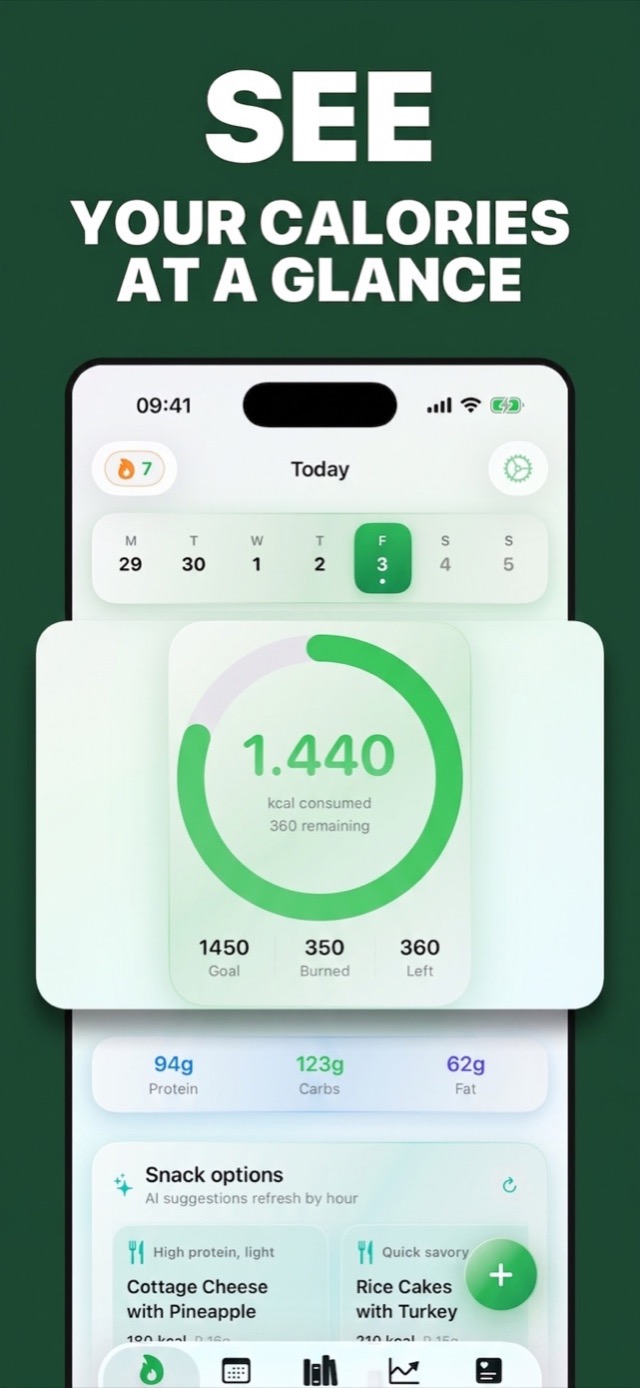
- Steps and active energy — the "burned" number in your daily ring
- Weight and height — including weigh-ins from smart scales that write to Health
- Profile basics (age, biological sex) for better calorie math
One-minute setup
- Install the app and go to Settings → Apple Health.
- iOS shows the standard Health permission sheet — enable the read and write categories you want.
- Done. Meals you log appear in Health immediately; your Today ring starts showing real burned energy.
The details done right
- No duplicates on edit: if you correct a meal after saving, the app updates the same Health sample rather than writing a second one — your Health data stays clean.
- Works with your ecosystem: Apple Watch workouts, smart-scale weigh-ins and step counts all feed the same numbers your calorie ring uses.
- iCloud on top: your food log itself syncs across iPhone and iPad via iCloud, so lunch logged on your phone is already there on your iPad at dinner.
- Privacy: Health data never leaves Apple's framework rules — you grant granular permissions, and the app has no account system hoarding your data.
💡 Deficit reality check: with activity synced, Insights can show you both sides — average intake vs. average burn. If the gap says 400 kcal/day, expect roughly 0.8 lb/week on the weight graph. When the math and the graph agree, motivation takes care of itself.
Try It on Your Next Meal — Free
Download Calories AI Calculator free on the App Store or Google Play, snap your next plate, and get calories and macros before you've picked up the fork.