 Calories AI Calculator
Yes — you can count calories with a photo
If you've ever typed "grilled chicken bowl" into a food database and scrolled through forty near-matches, you already know why most people quit calorie counting within two weeks. Photo calorie counting replaces the whole ritual: you take a picture of your food, an AI vision model identifies the dish and portion, and you get calories, protein, carbs and fat in a few seconds.
That's the entire workflow. No barcode hunting, no weighing every ingredient, no guessing which of the forty database entries matches your plate.
How AI photo calorie counting works
When you snap a meal in Calories AI Calculator, the photo is analyzed by an AI vision model that does three things:
- Identifies the dish — it recognizes a wide range of foods and cuisines: home cooking, restaurant plates, snacks, mixed bowls.
- Estimates the portion — plate size, food volume and visible ingredients inform the serving estimate.
- Returns the numbers — total calories plus grams of protein, carbs and fat, ready to save into your day.
Log a meal in 10 seconds
- Open the app and tap + on the Today screen.
- Tap Camera and photograph your plate (or pick an existing photo).
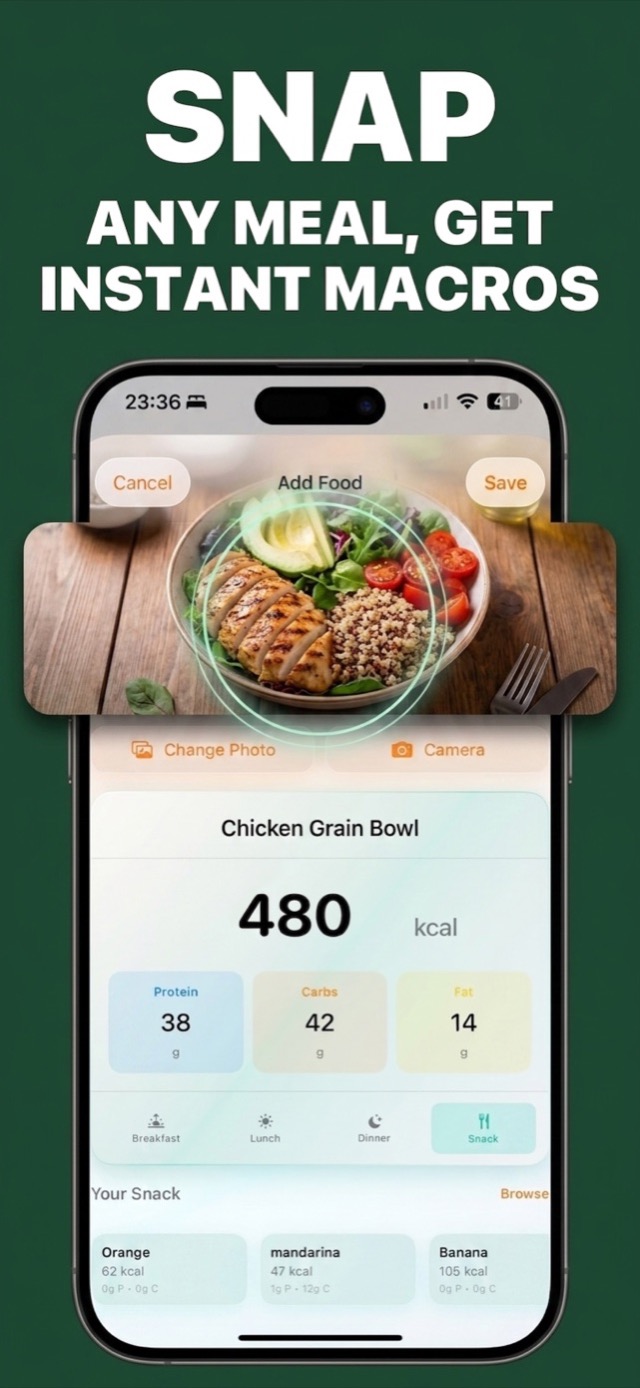
- Review the result — e.g. Chicken Grain Bowl, 480 kcal, 38 g protein.
- Pick the meal type (breakfast, lunch, dinner, snack) and hit Save.
Getting the most accurate photo estimates
- Shoot from slightly above so the whole plate and its proportions are visible.
- Good light beats good angles — daylight or bright indoor light helps the model separate ingredients.
- Correct once, benefit forever. If you adjust a name or portion, the app remembers your correction and applies it the next time it sees a similar dish.
- Use voice or text for invisible extras — cooking oil, sugar in coffee, dressing. You can also speak a meal or scan a barcode when that's faster.
What about foods without a photo?
Some days you just need to log a protein bar or yesterday's leftovers. Calories AI Calculator keeps every path open: search your personal food library, re-log frequent meals with one tap, scan a barcode, or dictate "two eggs and toast with butter". Everything lands in the same daily ring.
Try It on Your Next Meal — Free
Download Calories AI Calculator free on the App Store or Google Play, snap your next plate, and get calories and macros before you've picked up the fork.