 Calories AI Calculator
Cal AI made "take a photo, get your calories" mainstream, and it's a good app. In March 2026 it was acquired by MyFitnessPal, which says Cal AI will keep running as a standalone app now connected to MyFitnessPal's food database. If you're weighing your options anyway — because of pricing, the acquisition, or a feature you're missing — this page lays out what to compare and how Calories AI Calculator approaches the same job.
We make Calories AI Calculator, so read this as one side of the comparison. Plans and features of every app change often; check the current App Store listing of any app before you decide.
What to compare in any AI calorie counter
- What's free. Can you log food, water and weight without paying, or does logging stop when a trial ends?
- Logging options beyond photos. Photos are fastest for plates, but packaged food is faster by barcode, and some meals are easier to describe in words.
- Corrections. Every AI estimate is sometimes off. Can you fix it in a tap, and does the app learn from the fix?
- Where your data goes. Does it sync with Apple Health? Do you need an account? Can you export your diary?
- The rest of the routine. Water, weight, fasting and reminders in the same app mean one less app to forget.
How Calories AI Calculator handles it
| What you need | Calories AI Calculator |
|---|---|
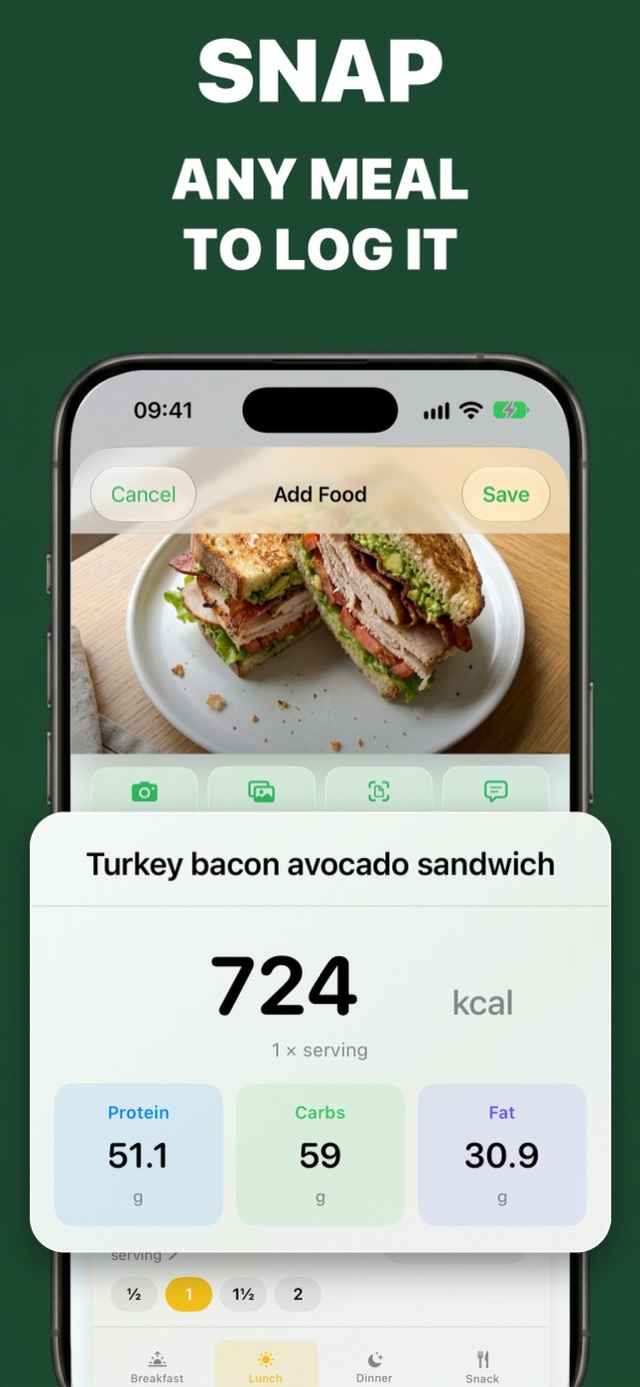
| AI photo calorie counting | Yes — dish name, calories, protein, carbs and fat, broken down by ingredient (Premium) |
| Free tracking | Manual calorie logging, the barcode scanner, water and weight tracking are free |
| Barcode scanner | Free, using the Open Food Facts product database |
| Nutrition label and text logging | Photograph a label or describe a meal in words (Premium) |
| Learns from corrections | Yes — fix a name or number once and it's remembered next time |
| Apple Health | Writes calories and macros, reads weight, steps and active energy |
| Account required | No — your diary syncs through your own iCloud |
| Intermittent fasting | 16:8, 18:6, 20:4, OMAD or custom, with a live countdown (Premium) |
| AI coach | Ask what to eat or how your week went; answers use your own log (Premium) |
| Apple Watch and widgets | Calories left on your wrist, Lock Screen and Home Screen |
| Platforms and languages | iPhone, iPad, Apple Watch and Android · English, French, German, Russian, Spanish |
Where Cal AI may suit you better
If you already use MyFitnessPal and want everything in that ecosystem, Cal AI's new link to the MyFitnessPal database is a real advantage. It also has a large community of users and plenty of social content to learn from. A fair test is simple: photograph the same three meals in both apps and compare the numbers and how easy each is to fix.
How to switch in five minutes
- Install Calories AI Calculator and set your goal in onboarding — it suggests a daily calorie target from your age, height, weight and activity.
- Allow Apple Health access so your weight history and activity come straight in.
- Re-create your three most common meals once (photo or barcode). They then appear under Log again for one-tap logging.
- Log the rest of today's meals with photos and check the totals against what you'd expect.
Frequently asked questions
Is Calories AI Calculator a good Cal AI alternative?
If you want AI photo logging plus free manual tracking, a free barcode scanner, Apple Health sync and no account, yes. Both apps estimate calories and macros from a photo; test the same meals in each and keep the one you find easier to correct.
Is Cal AI owned by MyFitnessPal?
Yes. MyFitnessPal announced its acquisition of Cal AI in March 2026 and said Cal AI would continue as a standalone app.
Can I use Calories AI Calculator for free?
Yes. Manual calorie logging, the barcode scanner, water and weight tracking are free. AI photo recognition, label scanning, meal ideas, fasting and the AI coach are part of Premium.
Try It on Your Next Meal — Free
Download Calories AI Calculator free on the App Store or Google Play, snap your next plate, and get calories and macros before you've picked up the fork.