 Calories AI Calculator
Why scan barcodes at all?
For anything in a package — yogurt, protein bars, cereal, drinks — the manufacturer has already measured the nutrition. Scanning the barcode pulls those exact numbers in, which is more precise than any photo estimate and faster than typing. Photos are best for plates; barcodes are best for packages.
How to scan a barcode in Calories AI Calculator
- Open the Library tab and tap the barcode icon next to the search bar.
- Point the camera at the barcode. It reads automatically — no button to press.
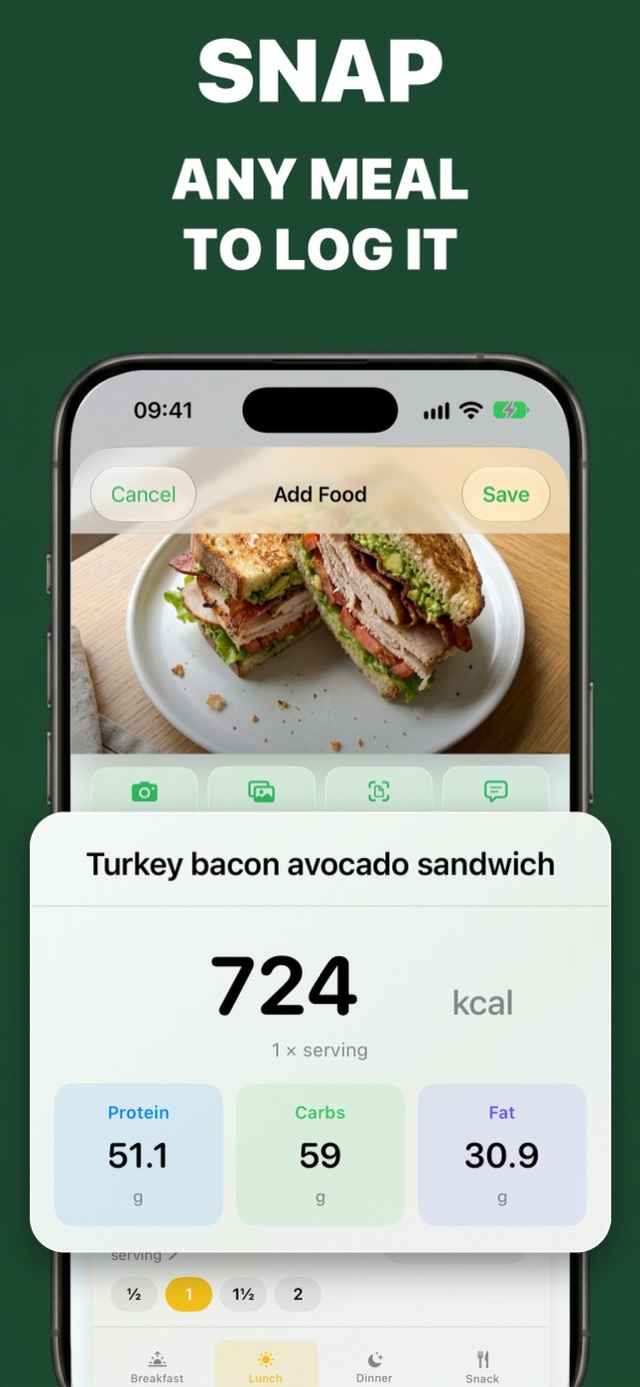
- The product's name, calories, protein, carbs and fat per serving fill in from the Open Food Facts database.
- Set how much you had (half a serving, two servings, or grams) and pick the meal.
- Save. The product is remembered, so next time it appears in your library and under Log again.
The barcode scanner is free — no Premium needed.
What if the product isn't found?
Open Food Facts is a large, community-built database, but no database has every product, especially local brands. If a scan comes back empty:
- Photograph the nutrition label and the app reads the numbers for you (Premium).
- Or type the four numbers from the label — calories, protein, carbs, fat — once. The food is saved for next time.
Getting servings right
The most common barcode mistake isn't the data, it's the portion. A "serving" on the package is often smaller than what people eat — a bag of crisps can be 2.5 servings. Check the serving size, and use the half/one/one-and-a-half/two buttons or enter grams.
Frequently asked questions
Is there a free calorie counter with a barcode scanner?
Yes. Calories AI Calculator's barcode scanner is free. It looks products up in the Open Food Facts database and fills in calories, protein, carbs and fat per serving.
Is barcode scanning more accurate than photo calorie counting?
For packaged food, yes — it uses the manufacturer's nutrition data. For home-cooked or restaurant plates, photo logging is faster and estimates each ingredient.
What happens if a barcode isn't in the database?
You can photograph the nutrition label (Premium) or type the calories and macros from the label once; the product is then saved in your library for next time.
Try It on Your Next Meal — Free
Download Calories AI Calculator free on the App Store or Google Play, snap your next plate, and get calories and macros before you've picked up the fork.