 Calories AI Calculator
MyFitnessPal is the best-known calorie counter for a reason: a huge food database, years of features and integrations with most fitness apps. It also owns Cal AI since 2026 and offers its own photo meal scan in Premium. So why look elsewhere? Usually for one reason: logging a home-cooked meal by searching and weighing every ingredient takes too long, and people quit.
We make Calories AI Calculator, so this is one side of the comparison. Plans and features change; check the current App Store or Google Play listing before deciding.
Database search vs. photo logging
Database apps are precise when you know exactly what you ate: a branded yogurt, a weighed portion of rice. They are slow for mixed plates — a stir-fry is six searches and six guesses at portion size. Photo logging flips that: one picture, and the AI names the dish, splits it into ingredients and estimates each one. You correct what's off instead of building the meal from scratch.
Most people do best with both: photos for plates, barcodes for packages. Calories AI Calculator has both in the same Add Food screen.
Side by side
| What you need | Calories AI Calculator |
|---|---|
| Log a plate from one photo | Yes — ingredients, calories and macros in seconds (Premium) |
| Barcode scanner | Free, using the Open Food Facts product database |
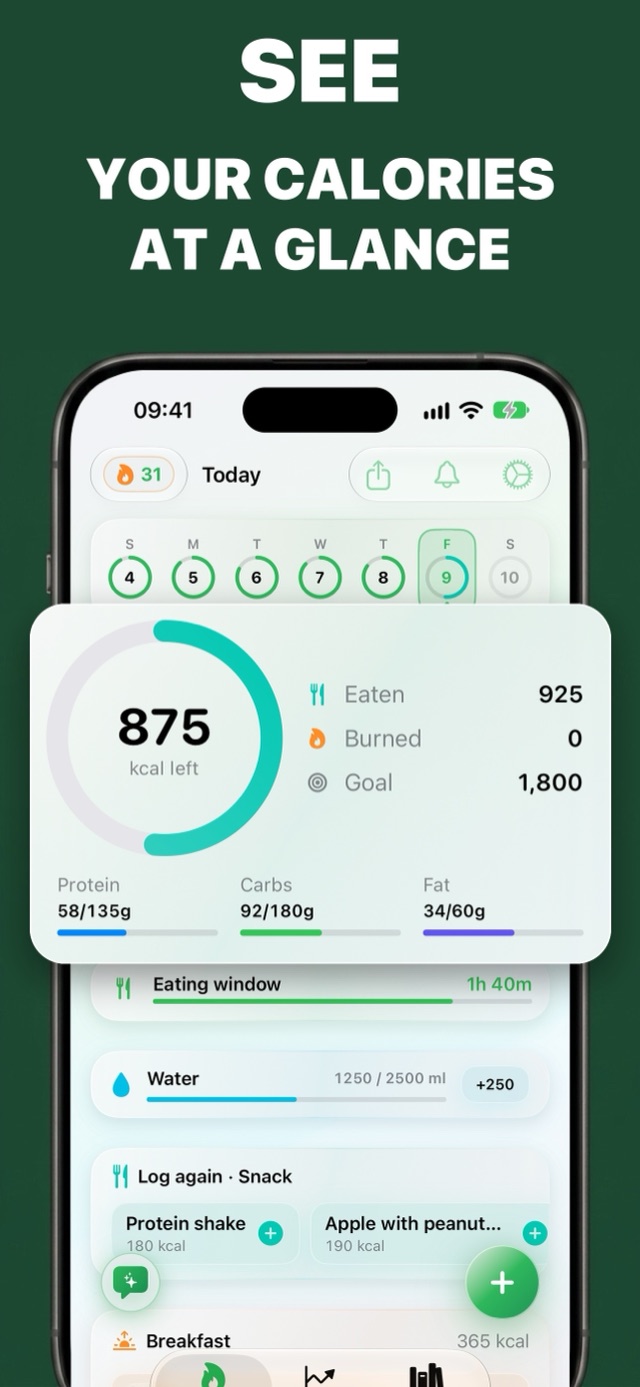
| Free calorie, water and weight tracking | Yes |
| Repeat meals | Log again chips and a personal food library |
| Apple Health | Writes calories and macros; reads weight, steps and active energy |
| Account | None needed — iCloud sync on Apple devices, optional cloud backup on Android |
| Intermittent fasting timer | Built in, with eating-window reminders (Premium) |
| AI meal ideas and coach | Suggestions sized to the calories you have left (Premium) |
| Export | CSV export of your food diary |
Where MyFitnessPal is stronger
If you track detailed micronutrients, follow a meal plan from a dietitian who uses MyFitnessPal, or rely on its large community and exercise integrations, it remains a strong choice. Calories AI Calculator is built around speed: getting a meal logged in about ten seconds so you keep doing it.
Moving over
- Install Calories AI Calculator and set your calorie goal (or keep the one you use today).
- Connect Apple Health so your weight history carries over.
- Save your usual meals once; after that they're one tap under Log again.
- Use photos for anything on a plate and the barcode scanner (Library tab) for packaged food.
Frequently asked questions
What is a good MyFitnessPal alternative?
If searching a food database for every meal is what makes you quit, try a photo-first app. Calories AI Calculator logs a plate from one photo, has a free barcode scanner for packaged food, and syncs with Apple Health.
Is there a free barcode scanner calorie app?
Yes. The barcode scanner in Calories AI Calculator is free. It looks products up in the Open Food Facts database and fills in calories and macros per serving.
Does MyFitnessPal have photo food logging?
MyFitnessPal offers a photo meal scan as part of its Premium plan, and it owns the photo-based app Cal AI. Calories AI Calculator is built around photo logging, with a free tier for manual and barcode tracking.
Try It on Your Next Meal — Free
Download Calories AI Calculator free on the App Store or Google Play, snap your next plate, and get calories and macros before you've picked up the fork.